
Migrating from WooCommerce to Shopify: Everything You Need to Know
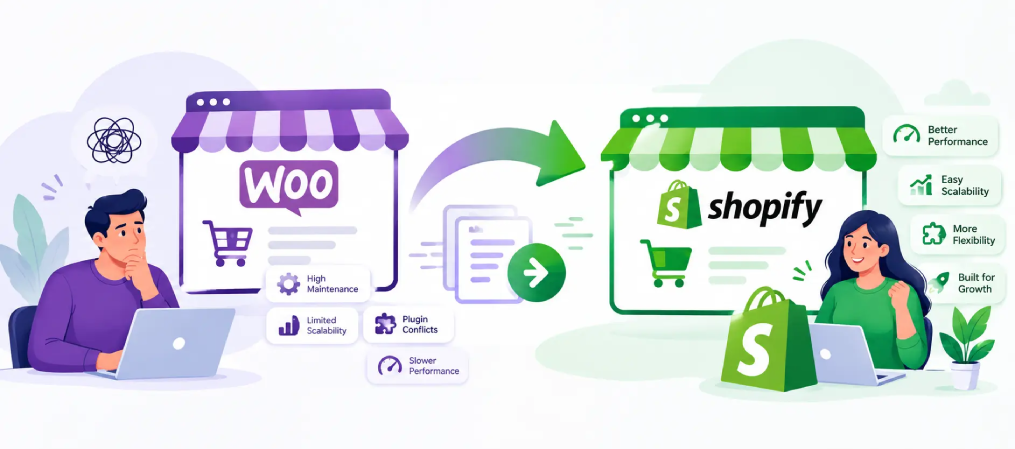
WooCommerce offers flexibility and control for building an online store, but as your business grows, managing hosting, plugins, security, updates, and site performance can become increasingly complex. What once felt flexible can gradually turn into additional maintenance and technical overhead.
For growing eCommerce brands, Shopify provides a more streamlined way to manage and scale an online store. Migrating from WooCommerce to Shopify can help simplify day-to-day operations, reduce technical maintenance, and create a reliable foundation for long-term growth.
“Is this platform holding us back?”
For many, the answer leads to one decision—WooCommerce to Shopify.
But here’s the real concern:
Will you lose SEO rankings, traffic, or revenue during the move?
Done wrong, yes.
Done right, you won’t just protect your store—you’ll unlock faster growth.
This guide walks you through how to migrate from WooCommerce to Shopify the right way—without losing SEO or sales.
Ready to Move from WooCommerce to Shopify? Let Our Experts Make It Simple and Seamless
📉 Why Businesses Are Moving from WooCommerce to Shopify
As brands grow, they need more than just an online store they need a platform built for faster selling, better customer experiences, and easier expansion.
Shopify helps businesses move faster, reach new markets, and focus more on growth.
Here’s what’s driving the shift:
01
Faster Time to Market
Shopify makes it easier to launch new products, campaigns, and store updates quickly, helping growing brands respond faster to market opportunities.
02
Better Shopping Experience
Shopify provides a smooth, mobile-friendly shopping journey with a streamlined checkout experience designed to reduce friction for customers.
03
Built for Business Growth
From expanding product ranges to handling increasing order volumes, Shopify gives businesses a strong foundation to grow without added complexity.
04
Easier Global Expansion
Shopify makes it easier to reach international customers with tools for multiple markets, currencies, languages, and localized shopping experiences.
⚖️ WooCommerce vs Shopify: Quick Comparison
Before making the move, here’s a quick look at how WooCommerce and Shopify compare for growing eCommerce businesses.
| Feature | WooCommerce | Shopify |
|---|---|---|
| Store Management | Managed through WordPress | Centralized commerce dashboard |
| Setup Experience | Requires more configuration | Quick and streamlined setup |
| Store Performance | Depends on store configuration | Optimized infrastructure built for commerce |
| Checkout Experience | Highly customizable | Streamlined checkout with Shop Pay |
| Scaling | May require additional optimization | Designed to support growing businesses |
| International Selling | Requires additional configuration | Built-in tools for global markets |
| Omnichannel Selling | Available through integrations | Integrated online, social and POS selling |
| Customization | Highly flexible and open-source | Flexible themes, apps and custom development |
| Cost Structure | Varies based on store requirements | More predictable subscription-based pricing |
| Best For | Businesses wanting WordPress flexibility | Brands focused on streamlined growth |
TOTAL COST OF OWNERSHIP
Annual eCommerce costs: WooCommerce vs Shopify
Illustrative yearly cost comparison for a growing eCommerce store (USD)
*Costs are illustrative and can vary based on store size, requirements, services, and custom development.
💼 What This Means for Your Business
WooCommerce can be a great starting point, but growing brands often need a platform that makes expansion easier.
Shopify brings selling, customer experience, and business operations together in a streamlined ecosystem built for growth.
For brands ready for their next stage, Shopify provides a simpler path to scale with confidence.
🔍 Protecting Your Search Visibility During the Move
Your WooCommerce store may already have years of search visibility, indexed pages, backlinks, and organic traffic behind it. Moving platforms shouldn’t mean starting over.
A well-planned Shopify migration carries that SEO value forward by preserving the signals search engines already recognize while creating a stronger foundation for future optimization.
🔍 What needs attention during migration:
🚀 A well-planned Shopify migration helps you:
SEO MIGRATION PRIORITIES
What matters most when protecting your SEO
Key areas to review when moving an established WooCommerce store to Shopify.
*Priority levels are illustrative and may vary depending on your store structure and SEO strategy.
From WooCommerce to Shopify — Your Next Chapter Starts Here
🔄 A Smarter Approach to Moving from WooCommerce to Shopify
A successful migration is more than transferring store data it’s about making sure everything that already works for your business continues to work after the move.
The right migration strategy keeps your store experience, search visibility, and customer journey connected from WooCommerce to Shopify.
Understand What Your Store Needs to Keep
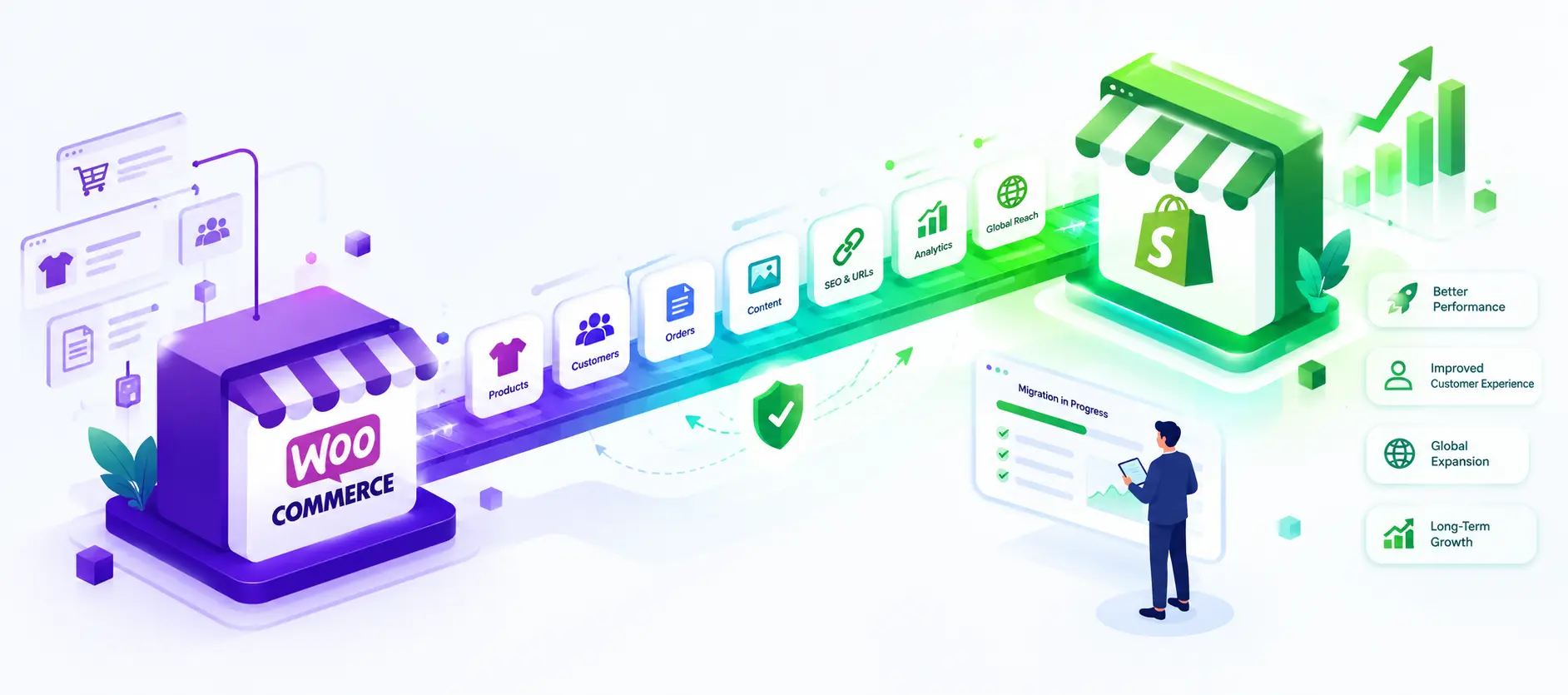
Start by reviewing your WooCommerce store, including products, customers, orders, content, URLs, integrations, and important custom functionality.
Plan Your Shopify Store Structure
Define how products, collections, navigation, content, and customer journeys will work in Shopify before moving any data.
Move the Data That Matters
Transfer essential store data such as products, variants, customers, orders, images, and content while keeping everything accurate and organized.
Carry Your SEO Value Forward
Map important URLs, set up 301 redirects, preserve metadata, and review internal links so search engines can understand the move.
Reconnect Your Business Tools
Set up the apps and integrations your business relies on, from payments and shipping to marketing, analytics, reviews, and customer support.
Test the Complete Customer Journey
Test navigation, product pages, search, cart, checkout, payments, mobile experience, redirects, and key integrations before launch.
Launch, Monitor & Optimize
After launch, monitor store performance, redirects, indexing, analytics, and customer journeys to catch issues early and keep improving.
📈 What Changes When Your Store Moves to Shopify?
Simpler Store Management
Manage products, orders, customers, promotions, and store activity from one streamlined commerce platform.
Faster Campaign Launches
Launch products, promotions, seasonal campaigns, and storefront updates faster without slowing down your growth plans.
Smoother Customer Journey
Create a more consistent shopping journey across product discovery, cart, checkout, and post-purchase experiences.
More Room for Growth
Expand into new channels, markets, and customer segments with a commerce ecosystem designed to support growth.
POST-MIGRATION IMPACT
Where Shopify can make the biggest difference
Key areas where growing businesses can benefit after moving from WooCommerce to Shopify.
*Scores are illustrative and represent potential business impact, not guaranteed performance results.
From WooCommerce to Shopify — Make the Move with Confidence
⚠️ Avoid These Roadblocks When Moving from WooCommerce to Shopify
A platform migration has a lot of moving parts, and small oversights can create bigger problems after launch.
Knowing where migrations commonly go off track helps you protect your store experience, search visibility, customer data, and day-to-day operations from the start.
🤔 Is It Time to Move from WooCommerce to Shopify?
WooCommerce may have supported your business well so far, but the platform that worked at one stage of growth may not always be the best fit for the next.
Moving to Shopify could be worth considering if your business is ready for a more streamlined way to sell, expand, and manage commerce across multiple channels and markets.
💡 Final Thoughts
Moving from WooCommerce to Shopify is more than changing your eCommerce platform—it’s an opportunity to build a store that better supports where your business is heading next.
With the right migration strategy, you can carry forward what already works while creating a more streamlined foundation for future growth.
A successful move can help you:
- Protect your existing SEO value
- Simplify store operations
- Create a smoother customer experience
- Expand into new channels and markets
- Build a stronger foundation for long-term growth
The goal isn’t simply to leave WooCommerce behind—it’s to make sure your next platform gives your business more room to move forward.
👉 Ready to Migrate Without Risk?
At Born Techies, we help businesses move from WooCommerce to Shopify with a carefully planned migration strategy focused on protecting your store data, SEO value, customer experience, and day-to-day operations.
Whether you’re looking to simplify your store, expand into new markets, or build a stronger foundation for growth, the right migration plan can make all the difference.
👉 Get a free WooCommerce to Shopify migration audit and discover the best path forward for your store.

FAQ: WooCommerce to Shopify Migration
Here are some common Frequently Asked Questions.
1. What is WooCommerce to Shopify migration?
WooCommerce to Shopify migration is the process of moving your products, customers, orders, content, and other important store data from WooCommerce to Shopify. It also involves rebuilding essential store functionality and planning redirects to protect existing SEO value.
2. Will I lose my SEO rankings when migrating from WooCommerce to Shopify?
A migration can affect rankings if URLs, metadata, internal links, or redirects are handled incorrectly. A well-planned migration uses 301 redirects, preserves important SEO elements, and monitors performance after launch to minimize disruption.
3. How long does a WooCommerce to Shopify migration take?
The timeline depends on your store size, product catalog, custom functionality, integrations, design requirements, and data complexity. A simple store may take a few weeks, while a larger or highly customized store can require more time for development, testing, and launch preparation.
4. What data can be migrated from WooCommerce to Shopify?
Products, variants, images, customers, orders, categories or collections, and selected content can generally be migrated. Reviews, subscriptions, custom fields, and other specialized data may require additional mapping or compatible Shopify apps.
5. Can my WooCommerce store stay live during the migration?
Yes. Your existing WooCommerce store can normally remain operational while the new Shopify store is prepared and tested. A final data sync and carefully planned launch can help minimize disruption during the switch.
6. How much does WooCommerce to Shopify migration cost?
Migration costs vary depending on the number of products and orders, design requirements, custom features, integrations, SEO requirements, and overall store complexity. A migration audit is the best way to determine the scope and estimated cost.
7. Can I keep my existing WooCommerce store design on Shopify?
Your existing branding and overall visual experience can often be recreated on Shopify, but WooCommerce themes cannot simply be transferred because the platforms use different technologies. The migration can also be an opportunity to improve the store’s UX and mobile experience.
8. What happens to my WooCommerce URLs after moving to Shopify?
Some URLs will change because Shopify follows its own URL structure. Important WooCommerce URLs should be mapped to their most relevant Shopify pages using 301 redirects to help preserve search authority and prevent visitors from reaching broken pages.
9. Is Shopify better than WooCommerce for a growing eCommerce business?
It depends on your business requirements. WooCommerce offers strong WordPress flexibility and control, while Shopify provides a more centralized commerce platform for managing selling, checkout, multiple channels, and international growth. The right choice depends on how you want to operate and scale your store.
10. Why should I work with experts for a WooCommerce to Shopify migration?
A migration involves more than transferring products. Store data, SEO, redirects, integrations, customer journeys, checkout, analytics, and functionality all need careful planning and testing. An experienced migration team can help reduce errors and create a smoother transition to Shopify.
Stop Losing Revenue on an Outdated Store
Migrate your store seamlessly with zero disruption, protected SEO, and improved performance. We don’t just move your store — we optimize it for growth.
👉 Drop your details — let’s make your migration smooth, secure, and growth-ready.
